
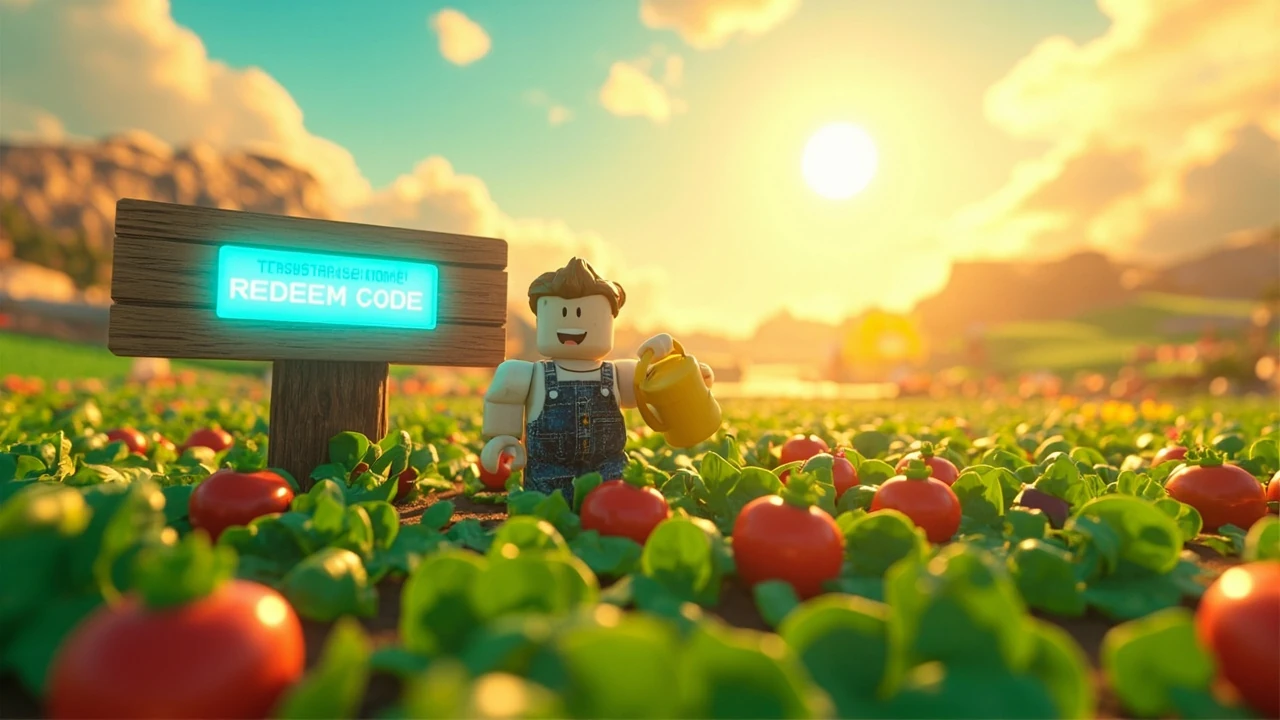
Codes for grow a garden: what they are and how to use them
Codes for grow a garden are short, time-limited redeem strings that the Roblox farming sim distributes through its official social channels and partner creators. They exchange for in-game currency, seeds, gear, or cosmetic items that would otherwise take hours of planting, watering, and harvesting to obtain. The mechanic mirrors the redeem code systems used in other live-service Roblox experiences, and it sits on top of the regular mutation-and-weather loop that defines the rest of the game.
Players who treat codes as a separate loop rather than a substitute for the core farming cycle tend to get more value out of them. A code handed out at launch or during a milestone can unlock a stack of high-rarity seeds that change how an early garden grows, so it is worth redeeming codes early. The game’s record-breaking launch on Roblox in 2025, as covered in Eurogamer’s Grow a Garden coverage, also brought a wave of community-run giveaways that masquerade as official codes, which is why a clear redemption process matters more than a long code list.
This guide focuses on the redemption mechanic, the typical reward categories, troubleshooting for expired or mistyped codes, and the differences between legitimate drops and community content. It does not promise a list of currently active strings, because any list printed here would go stale within days, and the source material does not include a verified snapshot of active codes.
How the redemption system works in grow a garden
Every Roblox title that supports codes uses the same basic flow, and grow a garden is no exception. The game reads a string against a server-side allowlist, removes it once a player has redeemed it, and grants whatever the allowlist entry defines. The interesting part for a player is what the allowlist contains and how the developer chooses to release it.
The redemption interface is reached through a button in the main hub or a floating panel on the player’s plot. A text field accepts a short alphanumeric string, and the server returns one of three states: success with a reward, “code not found,” or “code already redeemed.” The third state means the same Roblox account has already claimed that string and cannot claim it again, which is why a working code is sometimes useless for a returning player.
From a design standpoint, the system rewards the players who follow the right channels. Limited drops tied to milestones, such as the user-count records the game set on Roblox, typically expire or convert into passive currency once the milestone window closes. That is a deliberate pacing choice, and it explains why the same string of digits can be worth real progression one week and nothing the next.
Where to find working codes for grow a garden
The fastest way to find working codes is to follow the channels the developer actually uses. Any other source is either reposting or guessing.
- The official grow a garden Discord server, especially the announcements and codes channels, which the developer usually pins for at least 24 hours after a drop.
- The developer’s verified X account, where new codes are posted as standalone text rather than inside screenshots.
- The official Roblox game page description, which the team updates whenever a major milestone code is active.
- YouTube creators who are part of the official partner program, since partner codes are often the only signal that a private milestone is live.
Community wikis and copy-paste list sites do help, but they are usually a few hours behind the primary channels. If a list claims a code is “new” and it has been floating on Discord for a day, the redemption window is already shorter than the list suggests. Treat any list as a starting point and confirm the string against an official post before committing to it.
Step-by-step: redeeming a code in grow a garden
- Load grow a garden from your Roblox library and wait for the main garden plot to appear.
- Locate the Codes button, which usually lives in the bottom-left or top-right corner of the HUD on desktop and as a floating button in the mobile UI.
- Tap the button to open the redemption panel and select the text input field.
- Paste or type the code exactly as it appears, paying close attention to capitalization, since Roblox code fields are case sensitive in most titles including this one.
- Press the Redeem button and watch for the result message. A reward icon should appear and a sound cue should play on a successful claim.
- Check your inventory or currency tab to confirm the reward landed before closing the panel.
If the panel returns “code not found,” the string is either wrong, expired, or simply not yet active. If it returns “already redeemed,” the same Roblox account has already claimed it. The redemption is per-account, not per-plot, so a player who runs multiple plots in the same session still only gets the reward once.
Typical reward categories and what they are worth
Codes for grow a garden generally drop one of five reward types, and understanding which bucket a code falls into is more useful than memorizing strings. The categories below describe what the developer tends to ship; specific values change with each patch.
| Reward type | What it does | Best use |
|---|---|---|
| Currency bundle | Grants a stack of in-game coins or gems | Buy mid-tier seeds or expand the plot early |
| Limited seed pack | Unlocks a high-rarity seed that is not in the base rotation | Plant immediately and let mutations compound |
| Cosmetic item | Adds a themed hat, sign, or decoration | Purely visual, no effect on crop yield |
| Tool upgrade | Improves watering can, sickle, or sprinkler tier | Long-term efficiency, worth saving for the main plot |
| Event token | Unlocks a special weather or mutation event for the plot | Activates during a weekend event for bonus value |
Currency and seed rewards have the largest gameplay impact, while cosmetics and tokens matter most to players who are already deep into the mutation-and-weather loop. Tool upgrades are the rarest drop and tend to be reserved for milestone codes tied to Roblox records or community goals.
How developers design the code economy
From a game production perspective, redeem codes are a soft retention tool, not a primary progression path. The grow a garden team uses them to do three jobs that the normal farming loop cannot do as cleanly.
- Reward players who arrived during a milestone event, such as the launch window that pushed the game to the top of the Roblox charts.
- Rescue new players who joined during a server hiccup by handing out currency that compensates for lost time.
- Drive traffic to a partner creator, which the developer tracks through a unique code prefix attached to that creator’s audience.
The trade-off is that every code distributed is also a potential leak. Once a string circulates beyond the intended channel, the developer has to decide whether to shorten the redemption window, lower the reward, or invalidate the code entirely. That is why a “new” code posted on Discord at 9 a.m. can be a dead string by 9 p.m. The allowlist is being managed actively, not passively.
Why some codes stop working without warning
Players often assume that a code is permanent once it has worked once, but the allowlist is not bound to that behavior. Three things can invalidate a working code at any time.
- Expiry timer: the developer sets a hard end date and the server stops accepting the string after it, even on accounts that never redeemed it.
- Use cap: the code has a global cap, and once the global cap is hit the server refuses new redemptions even if the timer is still active.
- Patch reset: a hotfix changes the allowlist and removes the entry, which silently kills the code without any in-game message.
For a player, the practical lesson is to redeem any working code as soon as the panel opens, rather than saving strings for a later session. The server-side logic does not care whether the player intends to use the code “later.” It only checks the entry against the current allowlist.
Distinguishing real codes from community guesses
Roblox’s popularity means that fake or stale codes spread fast, and grow a garden is no exception. The fastest way to tell a real code from a guess is to look at the format and the channel it came from.
| Signal | Likely real | Likely fake or stale |
|---|---|---|
| Source | Verified Discord, X, Roblox page, or partner creator | Generic list site or short-form video with no source |
| Format | Mixed alphanumeric string in line with prior drops | Common words like “FREE” or “100K” pasted in caps |
| Context | Posted during or just after a milestone or event | Posted with no timing context, often weeks late |
| Verification | Multiple independent channels confirm the same string | Only one list site lists it and no primary source matches |
A useful rule of thumb is that a real code will appear on at least two of the developer’s primary channels within a few hours. If a string only exists on a single list site or a content farm, treat it as a guess and do not paste it into the redemption field. Pasting a wrong string will not ban the account, but it does clutter the redemption history and can mask a real working code sitting in another tab.
What to do when a code does not redeem
Even a correct string can fail, and the failure mode tells you what to do next.
- “Code not found” usually means a typo, a case mismatch, or a code that is not yet active. Recheck the source post and confirm the string character by character.
- “Already redeemed” means this Roblox account has already claimed the code, and the reward is permanent on that account. There is no way to transfer or reclaim the reward on a different account.
- Silent failure with no message points to a network hiccup. Reopen the redemption panel and try once more before reloading the experience.
- Persistent failure on a code that other players confirm is active suggests a regional rollout or a phased allowlist. Wait an hour and try again before assuming the string is dead.
None of these failures cause account damage, and the developer does not penalize players for testing codes. The redemption system is built to be forgiving, which is also why players can experiment without worrying about getting locked out.
Why the mutation system changes how codes feel
Grow a garden’s core hook is the mutation-and-weather system that mutates crops beyond their base form. The grow a garden overview from Eurogamer describes how the game adds “mutations and weather events that impact the type of crops you can grow,” and that mechanic is exactly why a code dropping a rare seed at the right time is so valuable. A high-rarity seed planted during a favorable weather window stacks mutations and can outperform a much larger plot of base crops. Codes essentially let players time this stacking, which is what the developer is selling when it hands out a seed pack instead of raw currency.
This is also why older guides that focus purely on currency codes miss the real progression loop. A coin stack is helpful, but a limited seed that interacts with the mutation system is the more interesting drop, because it interacts with the rest of the game rather than sitting in the wallet.
How grow a garden compares to other Roblox farming titles
The Roblox farming genre is crowded, and grow a garden’s popularity has inspired several lookalike experiences. The differences matter for anyone trying to apply code logic from one game to another.
| Aspect | Grow a garden | Typical Roblox farming clone |
|---|---|---|
| Code cadence | Tied to milestones and partner drops | Often daily, with diminishing returns |
| Core progression | Mutation stacking on crops | Plot expansion and basic harvesting |
| Visual hook | Fantastical, oversized crops | Standard farm assets |
| Audience scale | Record-breaking concurrent user base | Smaller, niche communities |
| Code reward quality | Often includes limited seeds or tools | Tends toward cosmetic or low-tier currency |
Code systems are a useful proxy for how a Roblox experience is run. A daily, low-value code dump suggests a high-churn model that needs to keep players logging in, while milestone-driven drops suggest a more curated retention strategy. Grow a garden’s design falls into the second category, which is also why the team’s code drops feel more like events than chores.
Designing your own code-redemption workflow
Players who treat redemption as a small routine get more out of the system than players who check once a week. The workflow below is a useful starting point and can be tuned to match the cadence of new drops.
- Open Discord and check the announcements channel of the official grow a garden server before launching the game.
- Note any new strings in a simple text file, with the source channel and timestamp next to each one.
- Load the game, redeem each string, and confirm the reward landed in the inventory or currency tab.
- Mark used strings so a returning session does not waste time on already-redeemed codes.
- Repeat the cycle once a day during events, or once a week during a quiet patch.
The discipline of a daily check is more important than the size of any single drop. Milestone codes tend to come in clusters, and missing one usually means missing the whole cluster rather than a single string.
Frequently asked questions
Where do I enter codes for grow a garden?
Open grow a garden from your Roblox library, then look for the Codes button in the main hub or on the plot HUD. Tapping the button opens a text input panel where you paste or type the string and press Redeem. The reward should appear immediately on success and a message will explain any failure.
Why is a code I just saw not working?
There are three common reasons. The string may have an expiry timer that already passed, a global use cap may have been hit, or the code may not be live in your region yet. Confirm the source post is recent, check whether other players on the same channel can redeem it, and try again after an hour if the issue persists.
Can I redeem the same code twice on one account?
No. The allowlist tracks redemptions per Roblox account, and a second attempt returns an “already redeemed” message. There is no way to reset a redemption on the same account, which is why saving strings for a different account is the only real way to claim a duplicate reward.
Do codes give permanent rewards?
Yes. Once a code is redeemed successfully, the reward is permanent on that account and cannot be revoked by the developer. Even if the original code is later patched out, the item or currency you received stays in your inventory.
How often does the developer drop new codes?
Drops are not on a fixed schedule. The developer’s pattern is to release codes around milestones, partner events, and patch launches. The fastest way to catch a drop is to watch the official Discord announcements channel and the verified X account, both of which the team uses for first-party drops.
Are YouTube “secret code” videos real?
Most are not. Partner creators do occasionally receive unique codes, but the majority of “secret code” videos on YouTube are either reposts of expired strings or guesses that never worked. Cross-check any string from a video against the developer’s primary channels before redeeming it.
Can I redeem codes on mobile and PC with the same account?
Yes. The allowlist is tied to the Roblox account, not the device. As long as the same Roblox profile is signed in on both mobile and PC, you can redeem the same code once on each device and still only get the reward one time, because the server tracks the account and not the hardware.
Will expired codes ever come back?
Occasionally, but it is rare. A code that returned during a community event in 2025 is not a reliable pattern, and a player should not plan around it. Treat every working code as a one-shot opportunity and redeem it as soon as possible.
Is there a risk of getting my account flagged for redeeming too many codes?
No. The redemption system is designed for normal use, and there is no anti-abuse penalty for pasting in failed or expired strings. The only thing the server tracks is which codes the account has successfully claimed, and that list does not affect standing in any negative way.
What is the best code to redeem first?
Redemption order does not change the reward, because each code is a one-shot string. If a list contains both a currency code and a seed code, redeem the seed code first so a patch that invalidates older codes does not lock you out of the more rare drop. Beyond that, the order is purely a matter of how the rewards fit your current plot.



Leave a Reply