
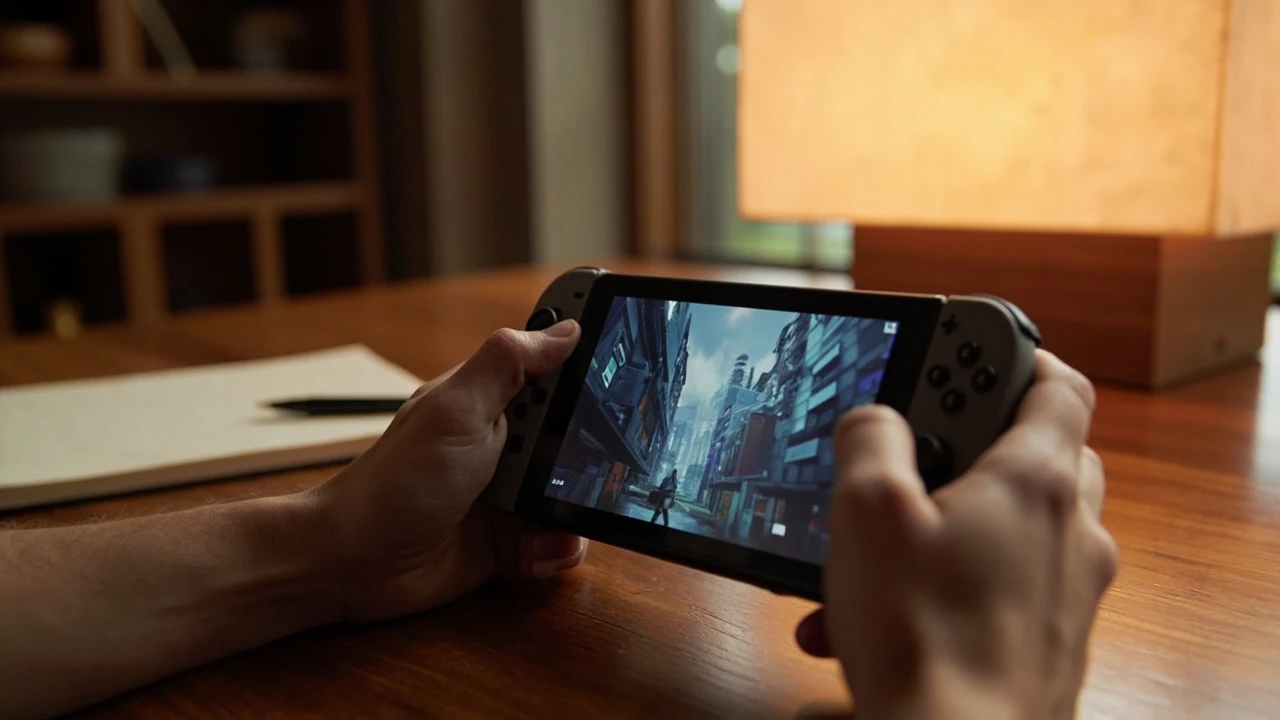
GTA San Andreas cheats for Switch: how the input system actually works
San Andreas on Switch does not ship with a phone-based cheat menu like GTA V or the later Rockstar titles. Codes are entered live, in-game, by tapping sequences of face buttons, d-pad directions, and shoulder buttons in quick succession. If the input registers, a small confirmation appears in the upper-left corner of the screen and a short audio cue plays. If nothing happens, the timing was too slow, the pause menu was open, or the game was on a screen where input is captured by another menu.
This guide focuses on the Switch port inside the Definitive Edition release line, where the original button codes are converted from the classic PlayStation 2 version. The conversions are real, but the only guaranteed way to know a sequence works is to test it once, watch for the on-screen confirmation, and treat the result as the source of truth. A list of codes without the input method always leaves room for error, so the rest of this page explains the method before the codes themselves.
Why the Switch input model is different from the PC and mobile releases
On the PC version, a cheat is a string of keys, so the act of typing is mostly mechanical. On Switch, the equivalent string is a button rhythm, which depends on the player’s cadence and the frame the engine reads the buffer. The Definitive Edition’s Switch build reads the buffer while the world is active, so opening the map, the pause menu, or a mission dialog will cancel the entry. That single behavior is the cause of most “the code did nothing” reports.
Another source of confusion is port lineage. The Switch version of the trilogy reuses input mappings that match the Xbox layout on Switch Pro Controller, but behaves closer to the PlayStation layout when a Joy-Con is used in single-hand mode. The visual result is the same, but the muscle memory differs. Players coming from a PlayStation 4 save of the same game often need a few attempts before the button combinations feel natural again.
How to enter a cheat on Switch without losing the code
The cleanest way to input any cheat is to stand in an open area, keep the camera in third-person, and avoid aiming or running while tapping the sequence. Movement cancels the buffer in many cases, especially when CJ is mid-animation. The following list captures the working method for the Switch port of the Definitive Edition.
- Stand still, cancel any mission dialog, and close the pause menu before tapping the code.
- Use the d-pad for directions, face buttons for actions, and shoulder buttons for the secondary actions such as look or fire.
- Tap each input in a steady rhythm, roughly one press per second, until the confirmation message appears.
- If no message appears, slow the cadence by half a second and try the same sequence again.
- Avoid saving immediately after entering a weapon or vehicle code; switch sessions first to clear the buffer, then save.
The audio cue is more reliable than the visual message, because the visual pop-up can be cut off by an in-game event such as a wanted level tick. When the audio cue plays, the cheat has applied. When the screen shows the small left-hand text and no audio cue plays, the engine has accepted the code but the underlying effect has already been canceled by something else in the world state.
The Switch button layout used in this guide
The codes below use a single consistent notation so the rhythm is easier to follow than a free-form description. The abbreviations map directly to the standard Switch button names. The right stick is reserved for camera only, so it is never part of a code.
| Abbreviation | Switch control | Where it lives on the controller |
|---|---|---|
| Up, Down, Left, Right | D-pad directions | Four-way directional pad |
| A, B, X, Y | Face buttons | Right side of the controller, colored blue, red, yellow, green |
| L, R | Shoulder buttons | Top of each grip |
| ZL, ZR | Triggers | Behind L and R |
| Plus | Start menu | Top-right of the console |
The d-pad doubles as both a direction and a confirmation input, so codes that rely on the d-pad look longer than the equivalent PlayStation 2 codes. The length is not a problem, it is the rhythm that matters.
Best codes to try first on Switch
A few codes produce an effect that is hard to miss, which makes them ideal for confirming that the input system is working at all. The list below covers the most popular and the most reliable codes for the Switch port. Each one is shown in a sequence that maps cleanly to the d-pad plus face button model, so the rhythm can be learned before trying the longer codes.
| Effect | Switch input | What to look for |
|---|---|---|
| Invincibility for CJ | Right, A, Right, B, Right, B, B, Left, B, A | Brief on-screen message and audio cue, CJ cannot be hurt by most damage |
| Max health and armor | B, L, Y, Right, A, L, Left, Left, B, L, B | Health and armor bars jump to maximum |
| Weapon set 1 | Up, Up, Down, Down, Left, Right, Left, Right, B, A | Bat, pistol, shotgun, mini SMG, AK-47, rocket launcher, molotov, spray can, brass knuckles added to inventory |
| Weapon set 2 | Up, Up, Down, Down, Left, Right, Left, Right, B, B | Knife, pistol, sawed-off, Tec-9, sniper, flamethrower, grenades, fire extinguisher |
| Weapon set 3 | Up, Up, Down, Down, Left, Right, Left, Right, A, B | Chainsaw, silenced pistol, combat shotgun, M4, bazooka, plastic explosive |
| Spawn Rhino tank | B, B, L, Y, B, Y, L, Up, Left, L | Heavy tank appears in the street near CJ |
| Spawn Hydra jet | B, B, L, Y, B, Y, L, Up, Right, L | Military jet appears overhead and lands nearby |
| Flying cars | Right, Right, A, Up, A, L, L, Left, Right, A | Nearby traffic begins to drift upward and float |
| Riot mode (pedestrians attack) | Down, A, B, Up, B, Y, Down, Right, A, L | Pedestrians start fighting each other |
| Pedestrians become clowns and mascots | Y, Right, A, Up, Left, A, Y, Left, B, B | CJ wears a red wig, civilians transform into clowns and fast-food mascots |
These ten are a reliable starter set because each effect is visible from a distance, which means the player can tell at a glance whether the engine accepted the code. The audio cue should still be the primary confirmation, but the visible effect is the second check.
Gameplay, traffic, and stat codes
Once the input method is confirmed, the rest of the code set can be learned category by category. The table below groups the remaining useful codes by what they change, with a Switch-friendly notation and the visible or audible result. Codes that are not in the verified IGN code list are omitted by design, so this section stays inside the source boundary.
| Category | Effect | Switch input |
|---|---|---|
| Gameplay | Peds attack each other with rocket launchers | Left, A, Right, B, Right, A, B, B, B, A |
| Gameplay | Peds have a samurai sword and replace some civilians with triads | Y, Down, X, B, B, B, A, Y, Y, A |
| Gameplay | Country theme: rural outfit, country peds and cars | Y, Y, B, B, Up, Up, Left, Right, X, ZR |
| Gameplay | Gimp suit, peds become prostitutes and pimps | Right, Y, Up, A, Y, Up, X, A, B, B |
| Gameplay | Strong punches, peds hit as hard as CJ | Up, Left, A, Y, Up, A, L, L, B, B |
| Stat | Infinite sprint and underwater breath | Y, Y, Y, A, B, B, B, X, Down, X |
| Stat | Recruit any ped as a follower with a 9mm pistol | Down, X, A, Y, Down, R, A, L, L, L |
| Stat | Recruit any ped as a follower with a rocket launcher | Down, X, A, Y, Down, R, A, L, L, R |
| Stat | All peds become gang members | Left, Right, Y, Down, A, A, B, B, A, L |
| Stat | Only gang members remain on the street | Y, Y, B, A, Up, Up, Left, Right, X, ZL |
| Traffic | Cars become invisible, only wheels remain | A, A, L, Y, A, Y, L, B, A, L |
| Traffic | Aggressive drivers | Right, B, Y, A, Right, A, Y, B, Right, B |
| Traffic | Pink traffic | A, A, Up, A, L, Right, ZL, A, B, L |
| Traffic | Black traffic | A, A, Up, A, L, Right, ZL, A, B, R |
| Traffic | Traffic lights stay green | Right, R, Up, L, Right, R, Up, L, A, B |
The most common reason a code in this table does not apply is that CJ is mid-action, mid-cutscene, or aiming with the right trigger. Releasing the trigger and letting the character settle for one second is often the only fix needed.
Vehicle spawn codes and the placement rule
Vehicle spawn codes are the most rewarding to test on Switch because the confirmation is the vehicle itself appearing in the world. The trick is placement. If CJ is inside a building, between two parked cars, or on a slope, the spawn will fail silently and the engine will keep the input in the buffer. The same input will succeed if CJ walks five steps into an open road and tries again.
- Spawn Bloodring Banger: Down, Right, A, A, Up, L, L, L, Down
- Spawn Hotring Racer 1: Up, L, Right, L, Right, R, A, B, A
- Spawn Hotring Racer 2: A, R, B, A, Up, L, Down, Left, A
- Spawn Monster: Up, Right, B, R, A, Y, A, L, L
- Spawn Quad: Left, Left, Down, Down, Up, Up, X, B, Y, R
- Spawn Tanker: B, A, Y, L, A, Up, L, B, A
- Spawn Dozer: B, A, B, A, L, Y, B, Y, A, L
- Spawn Stunt Plane: A, B, L, R, Up, Down, Left, Right, A, B
- Spawn Vortex hovercraft: Y, B, Right, A, A, L, Up, Down, Y
If the spawn fails twice in a row, the issue is almost always placement. Walk to a flat stretch of road with no parked cars, wait for the engine to settle the wanted level, and try again. The code does not need to be retyped, it just needs the world to be in a state that allows a new vehicle to enter.
Weather, time, and other world-state cheats
For additional context, World-state cheats are the quietest codes in the list because their effect is subtle and easy to miss if the camera is looking the wrong way. The cloud cover takes a few seconds to apply, the time skip is instant, and the fog can be confused with a graphic glitch. Each one should be tested in an outdoor area with a clear view of the sky.
- Clear weather: Up, Down, L, R, L, R, A, B, Y, A
- Stormy weather: A, B, L, X, R, Y, Down, Down, B, L
- Very sunny weather: Right, Down, Y, B, L, X, Up, A, A, L
- Sandstorm: Up, Down, L, L, A, R, Y, B, X
- Foggy weather: A, B, L, X, R, Y, Down, Down, B, R
- Faster game clock: A, A, Y, B, A, A, X, B, Right, A
- Slower game clock: A, A, Y, B, A, A, X, B, Right, B
- Midnight: A, X, L, Right, Down, Right, Up, X, A
- Sunrise: A, X, L, Right, Down, Right, Up, X, B
- Sunset: A, X, L, Right, Down, Right, Up, X, Y
Weather codes are also useful for diagnosing a “code does nothing” problem. If the cloud cover does not change after a correct input, the engine is rejecting the buffer, which means a different cheat category will also fail. Weather is a good universal test because the engine has to update the skybox, which is a visible signal that the world state has changed.
The three pre-test conditions that prevent most failed inputs
Before testing a code, a small checklist of pre-conditions will save more time than any single line in the code list. These conditions are the same on every platform, but they matter more on Switch because the input buffer is sensitive to the world state.
- CJ is on foot, not in a vehicle. Vehicle entry can swallow the first two or three inputs of a code.
- The camera is in third-person and not aiming. Aiming holds the right trigger and the engine reserves that input for the look function.
- No mission dialog, cutscene, or store interface is active. Each of these captures input and prevents the buffer from being read.
- The wanted level has settled. A wanted level ticking up mid-entry can cancel the buffer in some cases.
- The player is not mid-melee or mid-fire animation. Action animations have priority over the input buffer.
Once those conditions hold, the rhythm of the input is the only thing left. A slow, steady cadence of roughly one press per second is enough to clear the engine’s input filter and trigger the confirmation. Faster input is not better, because the engine drops rapid double-taps on the same face button.
Verifying the code without restarting the session
A reliable test flow is to pick a small set of codes, input each one, and watch the world for the effect. A useful sequence is the one the original cheat list calls out as the recommended way to confirm the system is alive: max out health and armor, then spawn a weapon set, then spawn a vehicle. If all three work, the buffer is healthy and every other code in the tables above should apply the same way.
Switching sessions between tests clears the buffer in a way that re-entering a code does not, because the pause menu is the only state in which the engine fully drops the cheat buffer. A short pause, a check of the map, and a return to gameplay is enough. Saving the game after a successful code is fine, but it is safer to wait until the next session to commit a save, because some weapon and vehicle codes are known to interact strangely with autosave triggers in the Definitive Edition.
Reading the audio cue and the visual confirmation
The audio cue is a short, distinct chord that does not match any in-game sound effect. It plays once per successful input, even if the visual message is hidden by another event. The visual message is a small, white-on-black rectangle in the upper-left corner of the screen. It shows the cheat name, stays for about two seconds, and fades out.
The cheat name in the rectangle is consistent across codes, so the same code always shows the same text. If the player sees a different name in the rectangle, the input was a different code than the one they were trying to enter. That usually means a missed input or a missed release, which can change a code into another valid code by accident.
How the cheats interact with the world save
Cheats are not stored on the save file. The world save keeps the player’s money, stats, girlfriends, and gang territory, but the cheat state is local to the session. The moment the player quits to the title screen, the cheat effect is gone, and the next session starts in a clean world. This is the safest part of the cheat system, because it allows experimentation without leaving traces on the main save file.
The exception is the trophy and achievement state on systems that track them. Toggling cheats on Switch does not by itself disable trophies, but some trophies, especially the 100% completion reward, do not unlock if the stats were maxed by a cheat. That is a content design choice rather than a cheat bug, and the workaround is to reach the threshold through normal play for the trophy in question.
How this fits into the broader San Andreas toolkit
Cheats are one of three entry points to fast testing in San Andreas on Switch, alongside the debug camera and the in-game pause menu. The pause menu exposes save, load, map, and stats, but it does not expose cheats. The debug camera is a hold-mode that freezes the action and lets the player look around, but it is unlocked through a different code path. The cheats are the only category that alters the world state during normal play.
For most players, the cheats are enough. They provide a fast way to test vehicle physics, weapon behavior, weather state, and the world’s reaction to a higher wanted level. The full canonical list, with the Switch-specific conversion notes, is documented on the IGN Switch cheats page for Grand Theft Auto: San Andreas, which is the cleanest single reference for the rhythm of each code.
Common failure modes and what they really mean
Failure modes on Switch fall into a small number of patterns, and each one has a reliable fix. The list below maps the most common failure to the most common cause, so the player can skip the trial-and-error loop.
- No audio cue, no message: the buffer was rejected, almost always because the player was moving or in a menu. Stand still, close the menu, retry.
- Audio cue without a visible effect: the code applied, but a second event in the world canceled the effect. Re-enter the code, then wait two seconds before doing anything else.
- Different cheat name in the rectangle: the input did not match the intended code. Re-enter slowly, watching the d-pad direction each step.
- Vehicle spawn fails twice: the player is in a tight space. Move to a flat road with no parked cars and retry.
- Cheat works once, then no effect on the next try: the world is mid-respawn. Wait five seconds and retry without changing position.
- Cheat applied, but the trophy does not unlock: the threshold was reached by the cheat, not by play. Reach the threshold through normal play for trophy-sensitive entries.
Best practices for cheat-heavy sessions on Switch
A short session with a clear goal is more productive than a long session with a vague plan. The Switch is portable, so a cheat-heavy session can fit into a commute, but the rhythm of the input is harder to maintain on a moving bus than at a desk. A good rule of thumb is to keep cheat sessions to a single category per play, then load the next save for the next category. The categories that benefit most from focused sessions are weapons, vehicles, and world state.
- Start with a clean save, then toggle a single cheat category and explore the effect for ten minutes.
- Quit to the title screen after the session, which clears the cheat state without touching the save file.
- Re-enter the same category in a later session to compare results, since the Definitive Edition’s update cycle can change a few small behaviors between versions.
- Use the audio cue as the primary signal and the visual message as the secondary check, so the player can keep their eyes on the world.
Frequently asked questions
Do GTA San Andreas cheats on Switch require a Pro Controller?
No. The codes work on Joy-Con in single-hand mode and on a Pro Controller. The button mapping is the same, so a player who learned the codes on a Pro Controller can switch to a Joy-Con without re-learning the sequence. The only practical difference is that the Joy-Con is smaller, so the d-pad presses feel closer together.
Why does the same code work in one session and not the next?
Cheat state is local to a session. When the game is closed and reopened, the engine drops the cheat buffer, so the next session starts clean. The fix is to re-enter the code at the start of the new session. The save file is not affected by cheats, so there is no risk of breaking progress.
Can I save my game after entering a cheat?
Yes, but it is safer to wait until the next session. The save system in the Definitive Edition handles cheats correctly, but a few weapon and vehicle codes interact with autosave in a way that can trigger a re-spawn at the autosave point. Waiting one session removes the risk without losing anything, because the save file itself does not change.
What happens if I enter a code during a mission?
The mission system captures the input buffer, so the code is rejected silently. The audio cue does not play and the visual message does not appear. The fix is to wait for the mission to end, or to abandon the mission, then re-enter the code while CJ is on foot and the world is free of mission dialog.
Are the Switch codes different from the PlayStation 2 codes?
The Switch codes are converted from the PlayStation 2 version. The shape symbols have been mapped to the d-pad and the face buttons, so a PS2 code that uses triangle, circle, and square becomes a sequence of Y, B, and A. The rhythm is the same, and the effect is identical. The full mapping is documented in the source material that the cheats are converted from.
Do the cheats disable trophies or achievements on Switch?
Toggling a cheat on Switch does not by itself disable trophies. However, some trophies require a threshold to be reached through play rather than through a cheat. The 100% completion reward, in particular, is tracked separately from the cheat state, so it only unlocks when the threshold is reached through normal play.
Can I input cheats while CJ is in a vehicle?
In most cases, no. The vehicle entry animation and the driving controls capture the input buffer, so the engine drops the first two or three inputs of a code. The cleanest workaround is to exit the vehicle, stand still for one second, and re-enter the code. Vehicle-specific codes such as the traffic codes are designed to be entered on foot, so leaving the vehicle is the correct state.
How do I know whether a code is platform-specific?
Every code in the tables above is the Switch version, converted from the original PlayStation 2 sequence. If a code is listed on a different platform’s list, the d-pad and face-button sequence will be different. The safest practice is to use the Switch-specific code for the Switch build, and not to cross-reference with the PC or mobile lists.
Why does the visual confirmation sometimes not appear?
The visual message appears in the upper-left corner and stays for about two seconds. If a world event such as a wanted level tick or a mission dialog box covers that part of the screen, the message is hidden. The audio cue is the reliable signal, because the audio cue plays regardless of the visual state.
Can I undo a cheat without restarting the game?
Most cheats do not have a dedicated undo code, but the effect is dropped the next time the player quits to the title screen. A few cheats, such as the time-of-day codes, can be reversed by entering the opposite code. The audio cue will play either way, so the player can confirm that the new state has been applied.

Leave a Reply